
Photo assignment without a QR code scanner: sort school photos automatically
Pixalo assigns school photos automatically, with no scanner, dongle or special lab labels. You print the cards yourself and shoot them with the same camera as the child. If you would rather not use cards at all, you assign the photos in the control view with two clicks.

Without automation
Challenges with Photo Assignment
- 01
Scanner dependency: many systems need a reader or a radio transmitter on the camera.
- 02
Ongoing hardware cost: scanners, dongles and special lab labels cost money and need maintenance.
- 03
External logistics: labels come from the lab, so late changes are barely possible.
- 04
Error-prone handwork: without automation photos are sorted by hand after the shoot.
- 05
Time pressure on set: between two children you have seconds, not minutes.
Clear track
Your Advantages with Pixalo
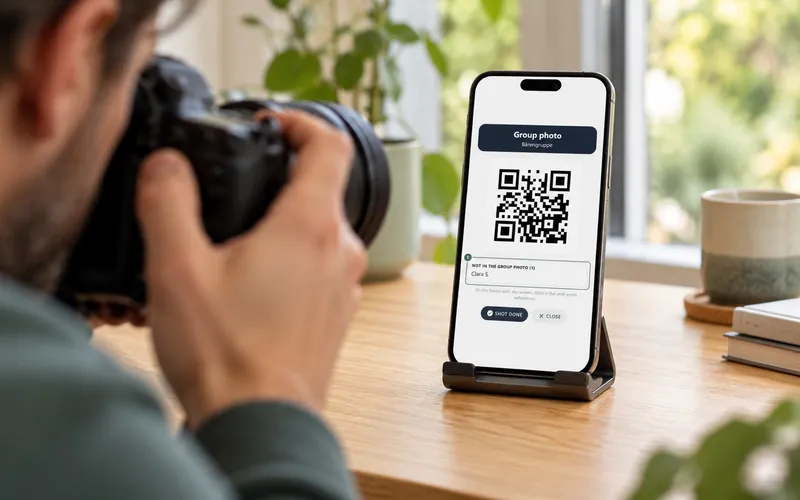
You print the cards yourself, shoot them along the way and only review the open cases at the end.
The camera is the reader
The card is simply photographed along the way. Pixalo reads the code from the picture later, not on set.
No extra hardware needed
No scanner, no dongle, no radio transmitter. A normal printer and your camera are enough.
Also completely without a card
Photos with no card in front of them land under Unsorted. In the control view two clicks assign them.
A faster picture day
One shot of the card, then carry on shooting as usual. No switching devices, no tapping in between.
How it works
Each card sets the switch for the photos after it
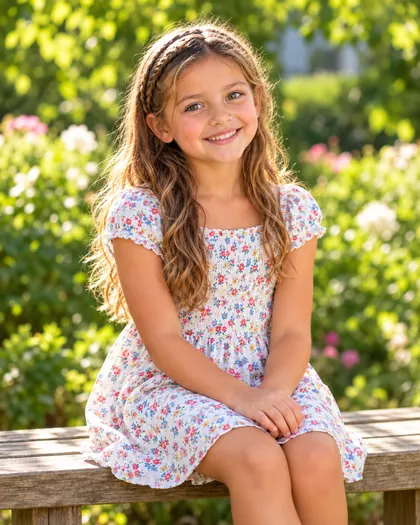
During upload, Pixalo reads the cards from the images. Every photo up to the next card belongs to the child on the card. The dark group card opens a section for the whole group.
Sequence from photo day
 Before the first card
- Card

- Group card

- Card


Unsorted photos
Hidden from parents. Assign them in the review with a few clicks.
Child 1
Appears only in this child’s gallery.
Group photo
Appears in every gallery of the group.
Child 2
Appears only in this child’s gallery.
Card photos themselves never appear in a gallery.
Comparison
Card in the frame instead of scanner hardware
A comparison of the two ways to assign school photos to a child.
| Criterion | Card in the frame | Scanner systems |
|---|---|---|
| Speed | Fast: one shot of the card | Slower: every child has to be scanned |
| Hardware Needed | A camera and a normal printer | Scanner, dongle, lab labels |
| Error Rate | Low: the card is in the picture and can be checked at any time | Higher: a missed scan only shows up later |
| Flexibility | Card, group card or assignment by hand | Only the scanning route provided |
| Setup Time | Print the cards from the dashboard, done | Order labels, wait, hand them out |
| Cost | Only paper and toner | Devices, spare parts, reorders |
| Scalability | More children simply means more printed pages | More children means more devices and logistics |
How this works in practice
Step-by-step guides from the Pixalo documentation.
FAQ
Frequently Asked Questions
Answers to the most important questions about our software.
You photograph the child’s card, then the child. On upload Pixalo recognizes the card shots and assigns everything up to the next card to that child. The code is read from the photo, not by a device on set.
Yes. Photos with no card in front of them collect under Unsorted and stay invisible to parents. In the control view you select the pictures and assign them to a child or a group. For small jobs that is often the fastest route.
Your camera and a normal printer for the cards. A smartphone with the Pixalo app helps but is not required.
The card is visible in the picture, so every boundary can be checked. Blurred or too small cards are reported as an open case instead of being assigned wrongly in silence. Foreign QR codes in the background are ignored.
On set the card costs one shot instead of a scan, and you never wait for labels from the lab. After the picture day sorting almost disappears, because only the open cases need review.
Get started
Start commission-free today
* Standard transaction fees from payment providers (Stripe/PayPal) may apply.
- Used by professional photographers – from weddings to schools and daycares
- 0% commission & direct payouts to your account
- Your own brand, logo, and domain (White-Label)
- Hosted in the EU: AWS data center in Frankfurt